
Blossom: Social Investing
Blossom Social Inc.Finance
4.5158.00 Reviews
- Version
- 3.7.8
- Installs
- 100.00K
- Age Rating
- Teen
Screenshots



Our Review of Blossom: Social Investing
 Analysis by Appyee
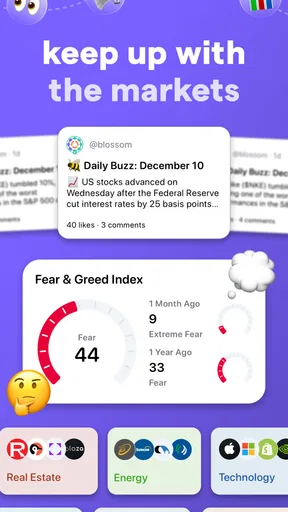
Ever found yourself juggling between stocks, crypto, and other investments, wishing there was a magic wand to keep everything organized? Well, that’s where Blossom: Portfolio Tracker steps in, aiming to be your go-to app for managing your investments seamlessly. Let’s dive into what makes this app tick and whether it’s worth a spot on your home screen!
What to expect before you begin
Blossom is a free finance app from Blossom Social Inc., built around keeping an eye on investments and seeing how other investors arrange their portfolios. Its focus makes it different from a brokerage app: I’d treat it primarily as a place to review and organize investment information, not as a substitute for deciding whether a trade is right for me. If you’re new to investing, that distinction is useful from the start. Seeing a portfolio or market movement can inform your questions, but it doesn’t tell you what you personally should buy.
The app is rated 4.7 on average from around 3.6 thousand ratings, and it has more than 100 thousand installs. Those figures suggest it has found an audience, but they don’t guarantee that every asset or workflow will suit your needs. Its Teen content rating is another practical detail for families sharing devices. The app is free to install, with in-app purchases ranging from $6.49 to $59.99 per item, so I’d look carefully at any purchase prompt and decide whether an optional paid item solves a problem I actually have.
Its appeal is clearest if you follow stocks, exchange-traded funds, or dividends and want a convenient place to check them without opening several investing accounts one after another. If your main need is to execute trades, prepare taxes, or get professional financial advice, I’d use the appropriate brokerage, tax tool, or adviser for that job instead. Blossom can sit alongside those services as a tracking and discovery aid, but I wouldn’t confuse visibility with financial guidance.
First Impressions
When I first downloaded Blossom: Portfolio Tracker, I was greeted with a clean and intuitive interface. No overwhelming charts or confusing jargon—just a straightforward dashboard that felt like a breath of fresh air. The app prides itself on simplicity, and it absolutely delivers on that front. Navigating through different sections is a breeze, making it ideal for both newbies and seasoned investors.
Getting set up without overcomplicating it
For a first-time user, I’d begin with a small, accurate picture rather than trying to document every investment in one sitting. Follow the app’s prompts and add the holdings you can confidently identify; then check that the names and amounts make sense before using the portfolio view to draw conclusions. This slow start is less exciting than filling every field, but it makes the first useful check more trustworthy. If you have several accounts, keeping a note of which source each holding came from can also make later reviews easier.
Before relying on any tracker, I’d decide what I want it to answer. “What do I own?” is a manageable first goal. “Am I making the right investment choices?” is much broader and requires context the portfolio screen alone cannot provide. Keeping those questions separate helps prevent a tidy dashboard from feeling more authoritative than it is. I’d also check the app’s current version—3.4.4—and make sure my device runs Android 6.0 or later before installing.
Features That Stand Out
Now, let’s talk features. This app packs quite a punch with its comprehensive tracking capabilities. You can effortlessly track your stocks, cryptocurrencies, mutual funds, and other assets all in one place. The real-time updates are a definite win, ensuring you’re always in the loop with your investments’ performance.
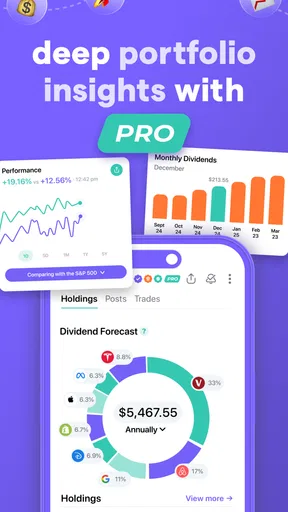
Another standout feature is the insightful analytics it provides. With Blossom, you can dig deep into your portfolio’s performance over time, analyze trends, and make informed decisions. The app’s ability to break down complex data into digestible insights is something I genuinely appreciate.
Make the first check genuinely useful
A good first success is not discovering a hot pick; it’s being able to explain your own portfolio more clearly. I’d use the tracking view to notice whether one holding or type of investment takes up more of my attention than I expected, then write down a question to research later. That turns a quick glance into a repeatable habit without treating a daily price change as a reason to act.
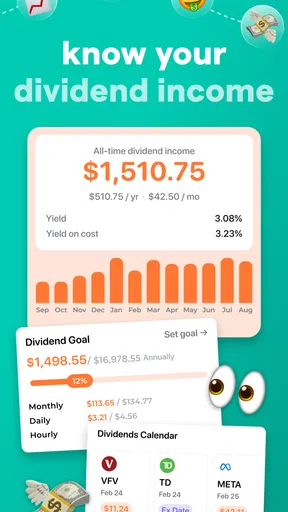
For a realistic routine, imagine checking your investments during a quiet moment on the weekend. I’d compare the current picture with what I remember from the previous check, look at dividend-related information if that is part of my plan, and note any change worth understanding. I would avoid making a decision while distracted or reacting to a single movement. The value here is having information gathered in one place, not being pushed into constant monitoring.
Usability and User Experience
One thing that really caught my eye was how user-friendly the app is. Setting up your portfolio is straightforward, thanks to the guided prompts. The app supports a wide range of financial instruments and markets, which means you can track almost everything you’re invested in. Plus, the customizable alerts ensure you never miss out on crucial market movements.
And let’s not forget the security aspect. With sensitive financial data at play, Blossom ensures robust security measures to keep your information safe. This is crucial, especially with the rise in cyber threats targeting financial apps.
When a tracker differs from a brokerage or spreadsheet
Compared with using a brokerage app alone, a dedicated tracker can make it easier to look across investments rather than staying inside the account where each one lives. That broader view is useful when you hold assets in more than one place. A spreadsheet, meanwhile, offers more control over categories and calculations, but it asks you to maintain the figures yourself. I’d choose Blossom when convenience and a guided overview matter more than building a custom financial model.
There is a trade-off: a consolidated view is only as useful as the information entered and displayed. I would periodically compare what I see in the tracker with the relevant account or source, especially before making a consequential decision. If you need precise records for tax filing or need to reconcile transactions line by line, a purpose-built recordkeeping tool or your institution’s statements may be a better fit.
Common points of confusion
One thing I’d keep in mind is that tracking performance and choosing investments are separate tasks. Analytics can help me notice patterns, but they don’t explain every reason behind them or account for my goals, time horizon, and comfort with risk. The same goes for following another investor’s portfolio: it can prompt research, but copying someone else’s holdings without understanding them is not a plan.
It’s also easy to assume that “all in one place” means every holding will appear exactly as expected. When something looks unfamiliar or incomplete, I’d first check the entry and the source rather than treating the display as definitive. Alerts can be helpful for awareness, yet too many can pull attention toward short-term movement. I’d set them around information I genuinely want to notice, then mute or adjust anything that encourages needless checking.
What Could Be Improved?
No app is perfect, and Blossom is no exception. While it excels in many areas, there are a few things I wish it did better. For one, a more extensive library of educational resources would be a fantastic addition for users looking to expand their financial knowledge. Also, although the app covers a wide array of investment types, integrating even more global markets could enhance its appeal for international users.
My practical reservation is that a simple interface can make complex investing feel simpler than it is. The information may be easier to scan, but I still need to verify details that matter and do my own research. Users who want deep portfolio modeling, extensive learning materials, or particularly broad international coverage may find a specialist platform more suitable. I’d also check the terms of any in-app purchase before spending, since the free starting point does not mean every optional item is free.
Who will get the most from it
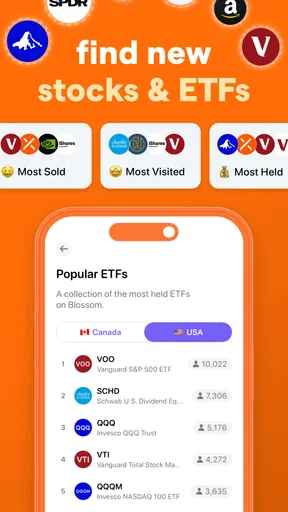
I’d recommend trying Blossom if you’re a newer investor who wants a clearer overview, or if you already own a mix of investments and find yourself switching between accounts just to see what you hold. It can also suit someone curious about how other investors build portfolios, as long as that curiosity leads to independent research rather than automatic imitation. The best fit is a person who wants a quick way to stay organized and is comfortable treating the app as one part of a wider financial routine.
I’d skip it, or pair it with a more specialized tool, if you need trading as the main activity, detailed tax reports, rigorous transaction reconciliation, or advanced analysis for professional work. It may also be a poor match if you prefer not to enter or maintain portfolio information in a tracking app. In that case, checking each financial institution directly—or keeping a private spreadsheet—may feel more appropriate, even if it takes extra effort.
My Final Take
So, is Blossom: Portfolio Tracker the app you’ve been waiting for? If you’re looking for an easy-to-use, powerful tool to manage your investments, then absolutely yes. It’s a reliable companion that helps you stay on top of your financial game without the hassle.
However, seasoned investors might find themselves craving a bit more depth in terms of advanced analytics and market coverage. Nonetheless, for most of us, Blossom offers everything we need to keep our portfolios flourishing.
If you’re ready to take the plunge and give your investment tracking a much-needed upgrade, head over to your app store and download Blossom. Happy investing!
Verdict
Strengths of Blossom: Social Investing
- Intuitive user interface for easy navigation.
- Supports multiple asset types in one place.
- Real-time updates keep your data fresh.
- Customizable alerts for market changes.
- Secure login with biometric authentication.
Limitations of Blossom: Social Investing
- Limited free features; subscription needed.
- No support for certain niche assets.
- Occasional sync issues with some accounts.
- Mobile-only, no desktop version available.
- Requires internet for most functionalities.
Similar Picks in This Category
View All
Google Wallet
Google LLC4.3

Airtel: Recharge, Bank & Loans
Airtel4.0

PayPal - Pay, Send, Save
PayPal Mobile4.2

DANA Indonesia Digital Wallet
PT Espay Debit Indonesia Koe4.5

Binance: Buy Bitcoin & Crypto
Binance Inc.4.8

Cash App
Block, Inc.4.7
Frequently Asked Questions
What features does Blossom: Portfolio Tracker offer?
Blossom: Portfolio Tracker provides a comprehensive suite of tools for managing and tracking your investment portfolio. Key features include real-time market data, customizable alerts, detailed analytics, and a user-friendly interface. The app supports a wide range of assets, including stocks, ETFs, and cryptocurrencies, making it a versatile choice for all types of investors.
Is Blossom: Portfolio Tracker free to use?
Blossom offers a free version with basic features suitable for casual investors. However, for more advanced tools such as in-depth analytics and priority customer support, users can opt for a premium subscription. This tiered pricing model allows users to choose the features that best suit their investment needs.
How secure is my data with Blossom: Portfolio Tracker?
Security is a top priority for Blossom. The app employs industry-standard encryption to protect user data and offers features like two-factor authentication for added security. Additionally, Blossom does not store sensitive financial information on its servers, ensuring your data remains private and secure.
Can I sync Blossom: Portfolio Tracker with my brokerage accounts?
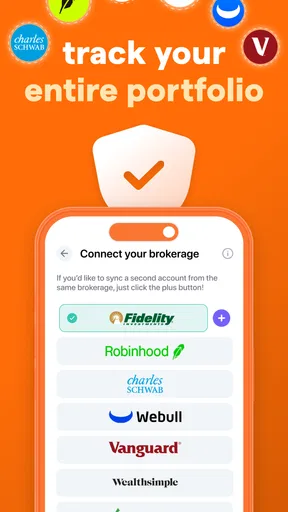
Yes, Blossom allows users to sync with a variety of brokerage accounts, providing a seamless experience for tracking all investments in one place. This feature ensures that your portfolio data is always up to date, reflecting real-time changes in your investments.
Does Blossom: Portfolio Tracker support international markets?
Absolutely, Blossom supports a wide range of global markets, making it an excellent choice for international investors. Users can track investments across various exchanges, including those in the U.S., Europe, and Asia, ensuring a comprehensive view of their global portfolio.
